
You've probably scrolled past those faceless cartoon channels. A talking fox teaches a lesson, a pirate hunts for treasure, a baby dinosaur gets lost, and the view count sits in the hundreds of thousands. No host, no camera, no studio.
The question most beginners get stuck on is simple: what do I actually type into an AI video tool to get a scene like that? That's the gap Viral Cartoon Video Creator AI says it fills. It's a library of ready-made prompts, sold with private label rights (PLR), that you paste into AI video tools.
I read the full sales page, then checked its claims against YouTube's own policy pages, OpenAI's help center and current AI video tool pricing. This review covers what's inside, what's missing, what you'll really spend once you add tools, and who should skip it.
Quick verdict
A reasonable starting kit if you want ready-made cartoon story prompts and PLR rights. It is a prompt library, not software. It doesn't include AI video tools, a channel strategy or any income guarantee.
Best for: beginners who will edit the prompts and publish steadily. Skip it if: you expect one-click videos or fast money.
See What's Inside and Check the Current Price
Key Takeaways
- It's a prompt pack with PLR rights, not video software. You still need an AI video tool.
- The sales page advertises 324 prompts across 17 niches. The niche list I could see adds up to 309 prompts across 16 niches, so count what you receive.
- Plan for tool costs. Entry plans on popular AI video tools run roughly $8 to $20 a month in late 2026, and failed generations still use credits.
- The page lists Sora as compatible, but OpenAI shut down the Sora app on April 26, 2026 and the Sora API on September 24, 2026.
- YouTube can refuse monetization for channels that post template-style, mass-produced videos. Editing the prompts matters more than pasting them.
- Kids' cartoons usually need YouTube's "made for kids" setting, which turns off personalized ads and tends to lower earnings.
- The sales page states a 30-day money-back guarantee. Treat the first two weeks as a real test.
What Is Viral Cartoon Video Creator AI?
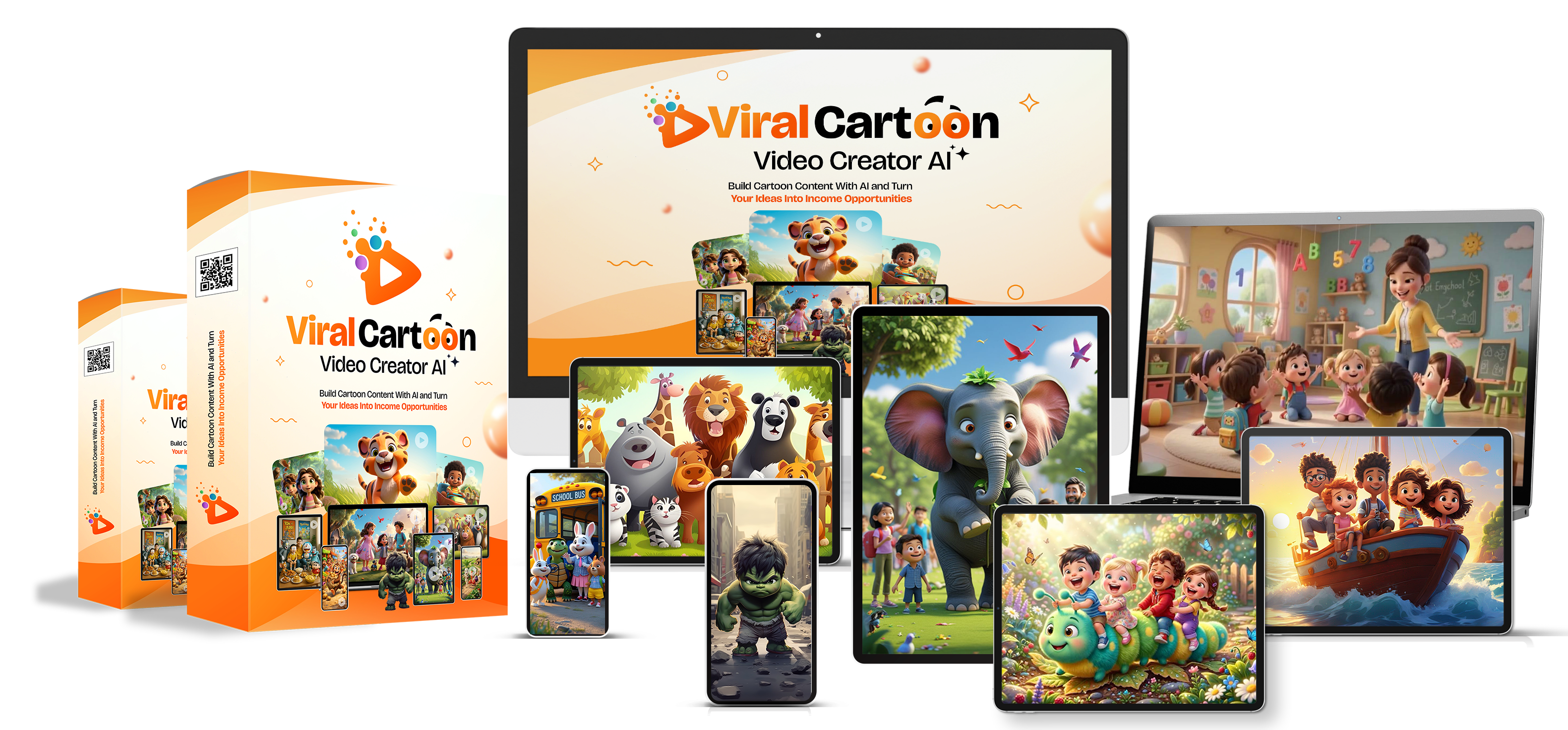
Viral Cartoon Video Creator AI is a downloadable collection of AI prompts for making cartoon videos. Each prompt is described as including a story angle, characters, scenes, visuals and a content hook. You copy a prompt, adjust it, and paste it into an AI video generator. The tool does the animating.
It's a one-time purchase handled through a WarriorPlus checkout button, with instant delivery. The page doesn't say what file format the prompts come in, and I couldn't find a price on the page I viewed, so check the live page before you decide. Launch pricing on offers like this can change.
Product at a glance
| Detail | What the sales page says |
|---|---|
| Product type | Prompt library with Private Label Rights (PLR) |
| Prompts | 324 prompts advertised, across 17 niches |
| Made for | Faceless cartoon videos for YouTube Shorts, TikTok, Instagram Reels and Facebook Reels |
| Rights | Edit, rebrand, resell and repurpose; keep 100% of sales, no royalties |
| Delivery | Instant (file format not stated) |
| AI video tools listed | Sora, Veo, Kling, Pika Labs, Luma Dream Machine, Meta AI tools, Gemini Omni AI and "more" |
| Not included | The AI video tools themselves |
| Guarantee | 30 days, refund requested through the support helpdesk |
| Price | Not shown on the page I viewed. Check the current page. |
What's Inside: The Cartoon Prompt Library
Here's the niche breakdown as listed on the sales page. You get a spread of kid-friendly, family and general-audience themes, which makes it easy to test what your audience likes.
| Niche | Prompts |
|---|---|
| Funny Animal Cartoons | 30 |
| Dinosaur Adventures | 25 |
| Superhero Cartoons | 25 |
| Educational Cartoons | 25 |
| Moral Stories | 25 |
| Fairy Tales | 20 |
| Fantasy Adventures | 20 |
| Talking Animal Stories | 20 |
| Pirate Adventures | 15 |
| Space Adventures | 15 |
| Robots & AI Characters | 15 |
| Family Comedy | 15 |
| School-Life Stories | 15 |
| Bedtime Stories | 15 |
| Holiday & Seasonal Cartoons | 15 |
| Mystery & Detective Stories | 14 |
| Total I could see | 309 |
One thing doesn't add up. The headline promises 324 prompts across 17 niches. The list above totals 309 across 16, and I couldn't find the 17th niche on the page. The page also mentions six demos, but I could see only one demo video. These may be small oversights, but it's fair to count your prompts after you download and ask support about any gap.
The page also promotes vertical videos for short-form platforms. It doesn't give a separate prompt count for them, so treat vertical formatting as part of the same library.
How to Turn One Prompt Into a Cartoon Video
If you've never made an AI video, this is the workflow I'd follow. It works with any generator.
Step 1: Pick one niche and stay in it for a month
Don't post a dinosaur video, then a bedtime story, then a superhero clip. Viewers and the recommendation system both respond better to a clear theme. Choose one niche from the library, such as Talking Animal Stories or Moral Stories.
Step 2: Choose an AI video tool you can afford
Start with a free tier or the cheapest paid plan. You can upgrade after you've published a few videos and know what you need.
Step 3: Adapt the prompt before you paste it
Change the character name, setting, colors and art style. Add one detail that's yours, like a recurring sidekick or a catchphrase. Here's the kind of prompt you'll be working with. I wrote this one myself as an example. It isn't taken from the product.
Example prompt (original, for illustration)
Create a 15-second vertical cartoon clip in a soft storybook style. A small red fox named Pip, wearing a blue scarf, finds a lost lantern in a snowy forest and has to decide whether to keep it or return it. Warm lighting, gentle camera push-in, friendly expressions, no text on screen. End with Pip smiling as a villager waves thanks.
Step 4: Generate scene by scene and keep your character consistent
Most tools produce short clips, so a story is a chain of scenes. Reuse the same character description in every prompt, word for word. If your tool lets you upload a reference image, use it so the fox looks like the same fox in scene three.
Step 5: Add voice, captions, and music
A simple voiceover and on-screen captions make a clip feel finished. Many editing apps have free tiers for this. Keep the sound original or properly licensed.
Step 6: Publish, then read your analytics
Check how many viewers stay past the first few seconds. If they leave early, rewrite the hook, not the whole story.
Advanced tip: build a simple series bible
Once you've got a few videos out, write a one-page guide for your channel. It should include:
- A fixed character sheet (name, look, personality) you paste into every prompt
- One style line, such as "soft storybook, warm colors", used every time
- A repeatable episode shape: hook in the first two seconds, small problem, twist, gentle lesson
- A batch routine, for example, ten prompts adapted on Sunday and generated across the week
This is what turns a pile of prompts into a channel with a recognizable identity. It also helps with the YouTube policy issue covered below.
The Tools You'll Still Have to Pay For
The sales page says you don't need new software, but also tells you to use whichever tool fits your budget. In practice, you'll need a generator, and that has a cost.
Sora is on the compatibility list, but it's gone
The page lists Sora first among compatible tools. According to OpenAI's help center, the Sora web and app experiences were discontinued on April 26, 2026, and the Sora API on September 24, 2026. That's an outdated line on the page, not a reason to avoid the pack. Use Veo, Kling, Pika or another generator that's available today.
What a starter budget looks like
Pricing changes often, so confirm on each tool's site. As of fall 2026, comparison guides put entry plans for tools like Pika and Kling at roughly $8 to $10 a month, and Google's AI Pro plan, which includes Veo access, at $19.99 a month. Free tiers exist but come with limits. One more cost people miss: failed generations usually still use credits, so you'll spend some on retries.
| Cost | Typical range | Notes |
|---|---|---|
| Prompt pack | One-time (see sales page) | No subscription for the pack itself |
| One AI video tool | About $8 to $20 per month | Start free or on the cheapest plan |
| Voice, captions, music | Free to low | Many editors have free tiers |
| Retries | Extra credits | Budget for some clips to fail |
PLR Rights Explained: What You Get and What to Check
PLR means private label rights. It's the most flexible of the common license types because it lets you change the product. Here's how the three common types compare:
| License | Can you edit it? | Can you resell it? | Can your buyers resell it? |
|---|---|---|---|
| Private label rights (PLR) | Yes | Yes | Depends on the license |
| Master resell rights (MRR) | No | Yes | Yes |
| Resell rights (RR) | No | Yes | No |
The sales page says you can edit, rebrand, resell and repurpose the prompts and the videos made from them, bundle them into products or memberships, and keep 100% of sales with no royalties. That's attractive. The page I viewed didn't show a formal license document, so read the license inside the download before you build a business on it. Check these points:
- Can you sell the prompts as a standalone pack, or only as part of a larger product?
- Can you give them away as a bonus or lead magnet?
- Can you pass your PLR rights to your own customers, or only personal-use rights?
- Does each AI video tool you use allow commercial use of what it generates? Each tool sets its own terms.
Also keep in mind that PLR is not exclusive. Other buyers get the same prompts. If everyone posts the same story with the same character, nobody stands out and platforms notice.
The five income angles on the sales page, with a reality check
| Angle | What it takes | Reality check |
|---|---|---|
| Platform ad and bonus payouts | Meeting each platform's eligibility rules | Slow for new channels. See the numbers below. |
| Shorts, Reels and reposts | Steady posting and original editing | Reposting identical clips can hurt you under YouTube's rules. |
| Paid client work | A portfolio and someone to sell to | Realistic if you can show finished samples. |
| PLR resale | A product, a landing page and traffic | Marketing is the hard part, not the product. |
| Channel flipping | A channel with real, steady revenue | Buyers pay for proven earnings, which takes time to build. |
Check What's Included Before You Decide
Can You Really Make Money With AI Cartoon Videos?
The sales page says similar faceless cartoon channels reach 200K, 500K or even 700K+ views. It doesn't name those channels, and the four "verified" testimonials don't link to any, so I couldn't confirm the examples. Here's what I could confirm from YouTube and independent guides.
What YouTube requires before you earn ad revenue
According to YouTube's Partner Program page, the ad-revenue tier needs 1,000 subscribers plus either 4,000 qualified watch hours in the last 12 months or 10 million qualified Shorts views in the last 90 days. YouTube has also announced higher entry thresholds for new applicants, 8,000 watch hours or 20 million Shorts views, which vidIQ's guides date to February 1, 2027. Check the Earn tab in YouTube Studio for what applies to you when you apply.
What Shorts views are typically worth
vidIQ reports that most creators earn a few cents per 1,000 Shorts views after YouTube's cut, with a range of about $0.03 to $0.10. The table below is simple arithmetic on that range, not a promise.
| Shorts views | At $0.03 per 1,000 | At $0.10 per 1,000 |
|---|---|---|
| 100,000 | $3 | $10 |
| 1,000,000 | $30 | $100 |
| 10,000,000 | $300 | $1,000 |
Notice that reaching the 10 million views Shorts threshold would produce roughly $300 to $1,000 at those rates. Shorts alone rarely pay a beginner's rent. That's why the other angles (client work, long-form videos, selling your own products) matter.
Kids' content earns less per view
The sales page quotes long-form payouts of $500 to $1,000 per 100K views. Those numbers come from a search result, not a verified source, and kids' channels usually land below general-audience averages. The reason is YouTube's made for kids setting, explained next.
YouTube Rules Every AI Cartoon Channel Should Know
The sales page gives no guidance on platform rules. That's the biggest gap I found, so here's a short guide based on YouTube's own pages.
Inauthentic content: the template problem
YouTube's monetization policy treats mass-produced or repetitive videos as "inauthentic" content (the policy was renamed on July 15, 2025). That includes content made from a template with little to no variation between videos. In July 2026, TechCrunch reported that YouTube's updated policy lists three types that can't be monetized: generic, repetitive or template-based content; content designed to be distressing or emotionally manipulative to chase views; and AI personas discussing sensitive topics such as finance or health. A channel with too much of any of these can lose monetization.
For a prompt-pack user, the takeaway is practical. Ten videos that follow the same prompt with only the names swapped look like a template. Ten videos with a consistent character, original stories and your own voice look like a channel.
Made for kids
If children are the primary audience, YouTube requires you to mark the content as made for kids to comply with COPPA. That setting turns off personalized ads, comments and some other features. Contextual ads can still run, which is why these channels can still earn, just usually less per view. Bedtime Stories and Fairy Tales are likely kid-directed. Mystery or Family Comedy might not be. Decide your audience on purpose.
AI disclosure
YouTube's altered or synthetic content rules require disclosure for realistic content, but creators don't need to disclose clearly unrealistic content, and animation falls in that group. Obviously cartoon characters generally don't need the label. If you ever mix in realistic-looking people or places, check the rules again.
Safe-approach checklist
- Change names, settings and story beats in every prompt
- Use your own voiceover or a clearly licensed voice
- Give each video a real point: a lesson, a joke or a puzzle
- Set the audience (made for kids or not) deliberately
- Avoid shock or distress as a hook
Pros and Cons
What I like
- It solves the blank-page problem with ready story angles, characters, scenes and hooks.
- A spread of 16 listed niches lets you test several audiences.
- PLR rights, as described, let you edit, rebrand and resell.
- The pack is a one-time purchase with no subscription.
- You don't need to appear on camera or know animation.
- A 30-day money-back guarantee lowers the risk.
What gives me pause
- No AI video tool is included, so there are ongoing costs.
- The prompt count and the demo count on the page don't match what I could see.
- Sora is listed as compatible even though it has been shut down.
- Income claims and testimonials can't be verified from the page.
- PLR isn't exclusive, so your competitors have the same prompts.
- No formal license document or file format is shown on the page.
- No guidance on YouTube policy, kids' content rules or tool costs.
Who Should Buy It, and Who Should Skip It
It's a good fit if you:
- Want a faceless channel and don't know what to prompt
- Plan to edit prompts and build your own characters
- Sell digital products or services and want PLR content to rebrand
- Are comfortable paying for an AI video tool
Skip it if you:
- Expect finished videos without using any AI tool
- Want advanced animation or filmmaking training (the page says the product isn't for that)
- Prefer to write every script and prompt yourself
- Need guaranteed income or a quick payout
Get the Details on Viral Cartoon Video Creator AI
Common Mistakes to Avoid
- Pasting prompts unchanged. It creates look-alike videos that blend in and risk template flags.
- Switching niches every week. You never give any audience time to find you.
- Ignoring the audience setting. Getting made for kids wrong can create policy trouble.
- Judging results after three videos. Give a niche at least a month and 15 to 20 posts.
- Spending on the priciest tool first. Learn on a cheap plan.
- Skipping the license. Know what you can resell before you build a product around it.
A 30-Day Test Plan That Protects Your Refund Window
The page says refunds are requested by contacting support through its helpdesk. Don't wait until day 29 to decide. Use a schedule like this one:
| Days | What to do | What you're checking |
|---|---|---|
| 1 to 3 | Download, count the prompts, read the license, pick one niche | Does it match the page? Is the license clear? |
| 4 to 10 | Adapt and generate 5 to 7 clips, publish them | Is the workflow realistic for you? What does your tool cost? |
| 11 to 20 | Publish 8 to 10 more, watch retention | Do viewers stay? Which prompts perform better? |
| 21 to 25 | Decide: keep going, adjust the niche, or stop | Is this worth the time and tool costs? |
| By day 26 | If it isn't working, contact support about a refund | Leave a safety margin before day 30 |
Alternatives to a PLR Prompt Pack
| Option | Cost | Best for | Trade-off |
|---|---|---|---|
| PLR prompt pack (this product) | One-time pack price plus tool fees | Beginners who want ideas fast and resale rights | Same prompts as other buyers; no tool included |
| Writing your own prompts with an AI assistant | Free to low | People who want full control | Slower start; you learn prompt structure yourself |
| All-in-one AI cartoon makers (Renderforest, CapCut and similar) | Free tier to monthly plan | Script, visuals and voice in one app | More template-like results; less control |
| Hiring a freelance animator | Highest | A brand mascot or long-term series | Cost and turnaround time |
My Verdict
Viral Cartoon Video Creator AI is a useful idea bank, not a business in a box. The pack solves a real beginner problem, which is knowing what to prompt. The PLR license adds options if you want to sell or bundle. The weak spots are things you can plan around: tool costs, a prompt count that doesn't match the headline, an outdated Sora listing, and the fact that every buyer gets the same material.
If you'll edit the prompts, build a recognizable character and publish consistently, the risk is low given the 30-day guarantee. If you're hoping to paste, post and profit, the YouTube rules and the Shorts numbers above suggest you'll be disappointed.
Check the Current Price and Guarantee
Frequently Asked Questions
What is Viral Cartoon Video Creator AI?
It's a library of AI prompts for faceless cartoon videos, sold with private label rights. You paste the prompts into an AI video generator and edit the results.
Is it software or a prompt pack?
It's a prompt pack. The sales page says the AI video tools aren't included, so you'll need your own.
How much does it cost?
The page I viewed doesn't show a price. It describes a one-time purchase with no subscription for the pack. Check the live sales page for the current price.
Do I need animation skills or to appear on camera?
No. The videos are faceless and the AI tool generates the animation. You'll still need to edit prompts and assemble clips.
Which AI video tools work with it?
The page lists Veo, Kling, Pika Labs, Luma Dream Machine, Meta AI tools and others. It also lists Sora, which OpenAI discontinued in 2026.
What does PLR mean here?
Private label rights let you edit, rebrand and resell the prompts. Check the license in the download for exact limits on giveaways and passing rights to buyers.
Can I make money with it?
Possibly, but nothing is guaranteed. YouTube ad revenue requires 1,000 subscribers plus 4,000 watch hours or 10 million Shorts views, and Shorts pay a few cents per 1,000 views. Client work and product sales are other routes.
Do I have to mark my cartoons as made for kids?
If children are the primary audience, YouTube requires it. That disables personalized ads and comments. Decide your audience before you upload.
Will YouTube demonetize AI cartoon videos?
Not automatically. YouTube targets mass-produced, repetitive or template-style content. Original stories, consistent characters and your own voiceover help.
Is there a refund policy?
The page states a 30-day money-back guarantee, requested through the support helpdesk.
Is it legit?
From what I could verify, it's a real product sold through WarriorPlus with a stated 30-day guarantee. The income claims are the part I couldn't verify.
Summary
Viral Cartoon Video Creator AI gives beginners a ready-made set of cartoon prompts and the right to edit and resell them. It doesn't give you video tools, platform guidance or guaranteed income. Count the prompts you receive, read the license, budget for an AI video tool, and follow YouTube's originality rules. Use the 30-day window to test one niche properly before you decide.
Post a Comment